Case Study
Musync Admin
Overview
What is Musync Admin?
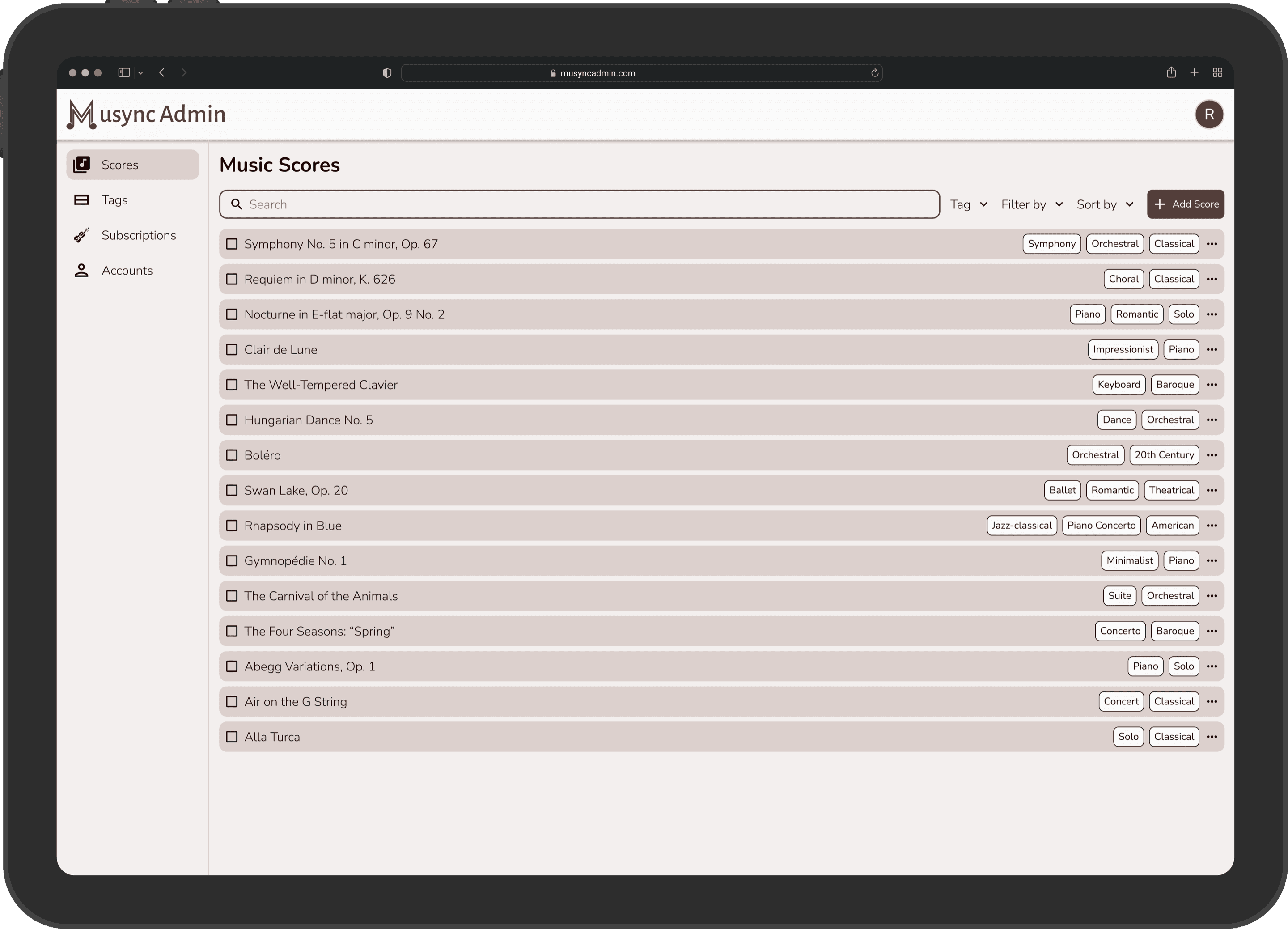
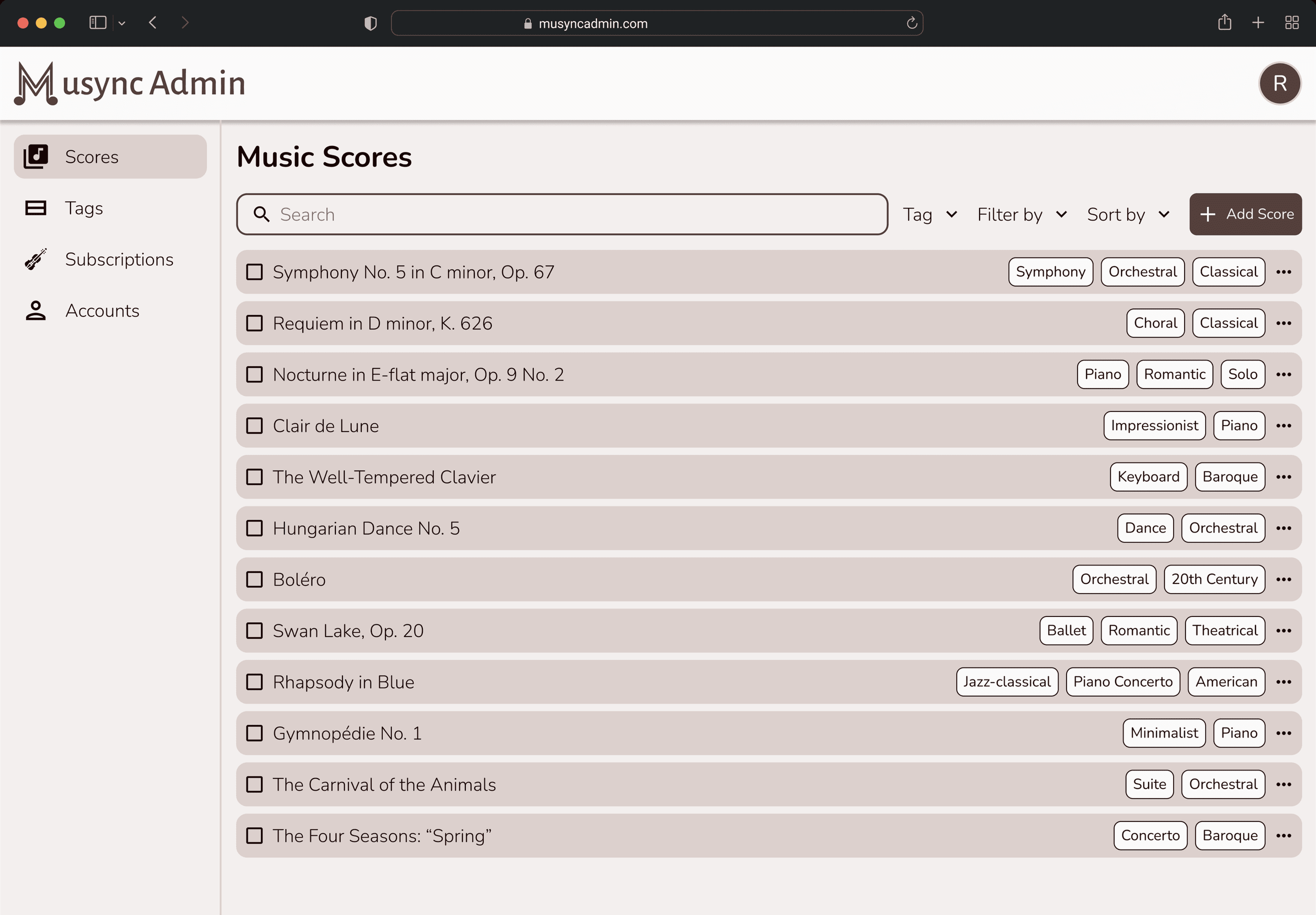
Musync Admin is an administration/database tool for Musync so that music scores can be added, organized, and managed.
What is the problem?
As a company, Musync aimed to provide a collection of music scores that it would charge users on an e-commerce website. To do this, Musync needed to have a platform to input and manage these scores.
What is the goal?
Improve efficiency of adding scores to the database and simplify the organization of music score storage via a tagging mechanism.
Who are the target users?
During the project timeline, the targeted users were Musync administrators. However, the framework needed to be built for publishers and music education companies to add and manage music scores in this platform.
Role
Responsibilities
- ▪Led the UI/UX design team
- ▪Collaborated with CEO and CTO to capture vision
- ▪User research, data modeling, information architecture, prototyping, visual design system, creating a subscription model, sharing/access rights, and backend organization of scores using MongoDB
- ▪Managed design-to-dev handoff and sprint planning
Research
Goal of research
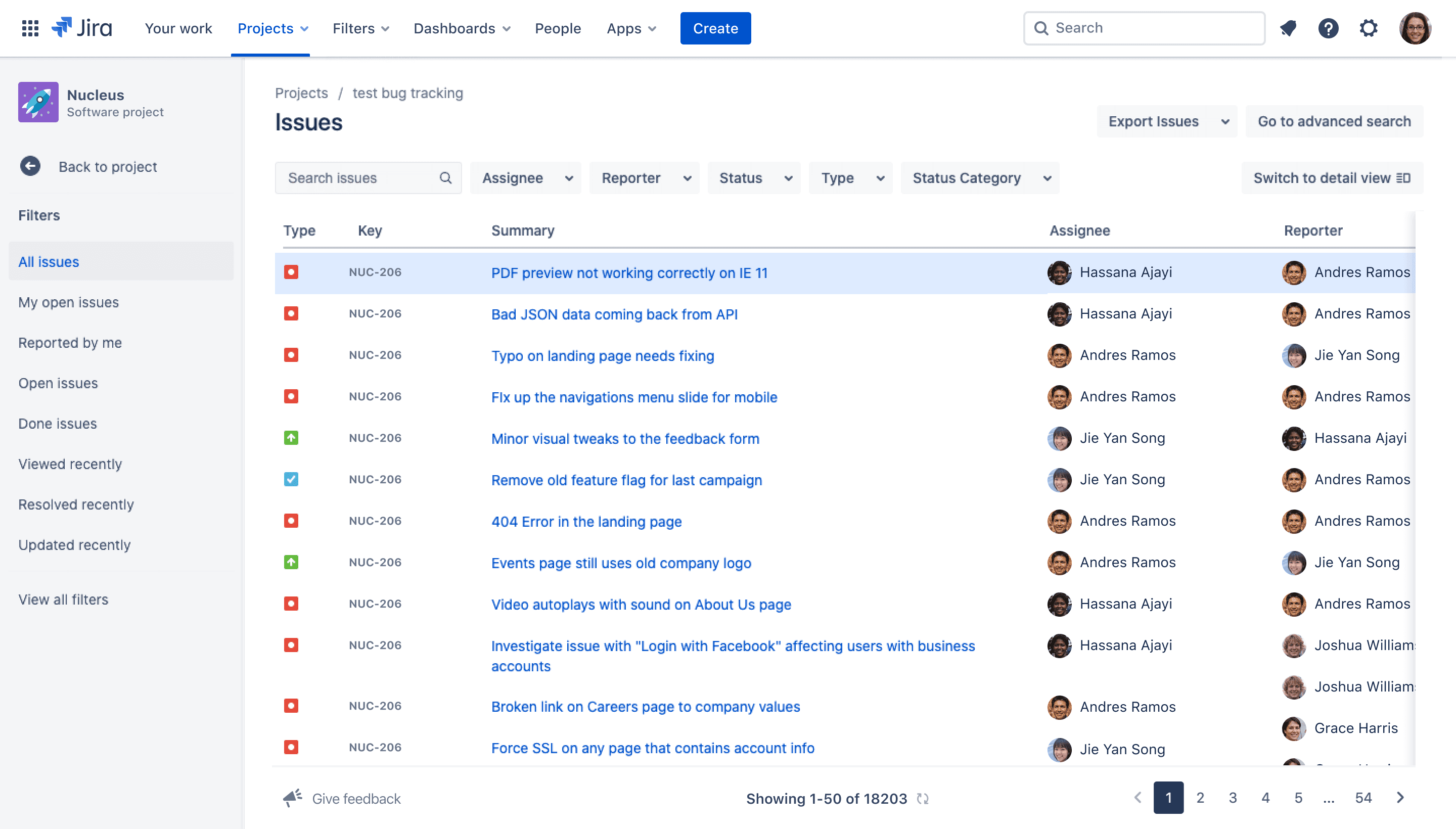
We conducted a brief audit of existing admin portals and how the structure would work for our website. We primarily looked at existing music score databases like MuseScore and IMSLP and admin sites like Jira.
 IMSLP
IMSLP MuseScore
 Jira
Jira
Key findings
What we found was that the strongest candidate from our research was Jira, an agile project management tool we had been utilizing for our development sprints.
“Sometimes the solution is right in front of you”
Pain points
Unable to put scores quickly or edit them.
No file structure for quick retrieval.
Way to make money from scores and who gets access to them.
Scores from admin need to be visible in Musync Catalog.
Define
Key insights
Easy and efficient way to input and edit music scores.
Organize music through a powerful tagging mechanism.
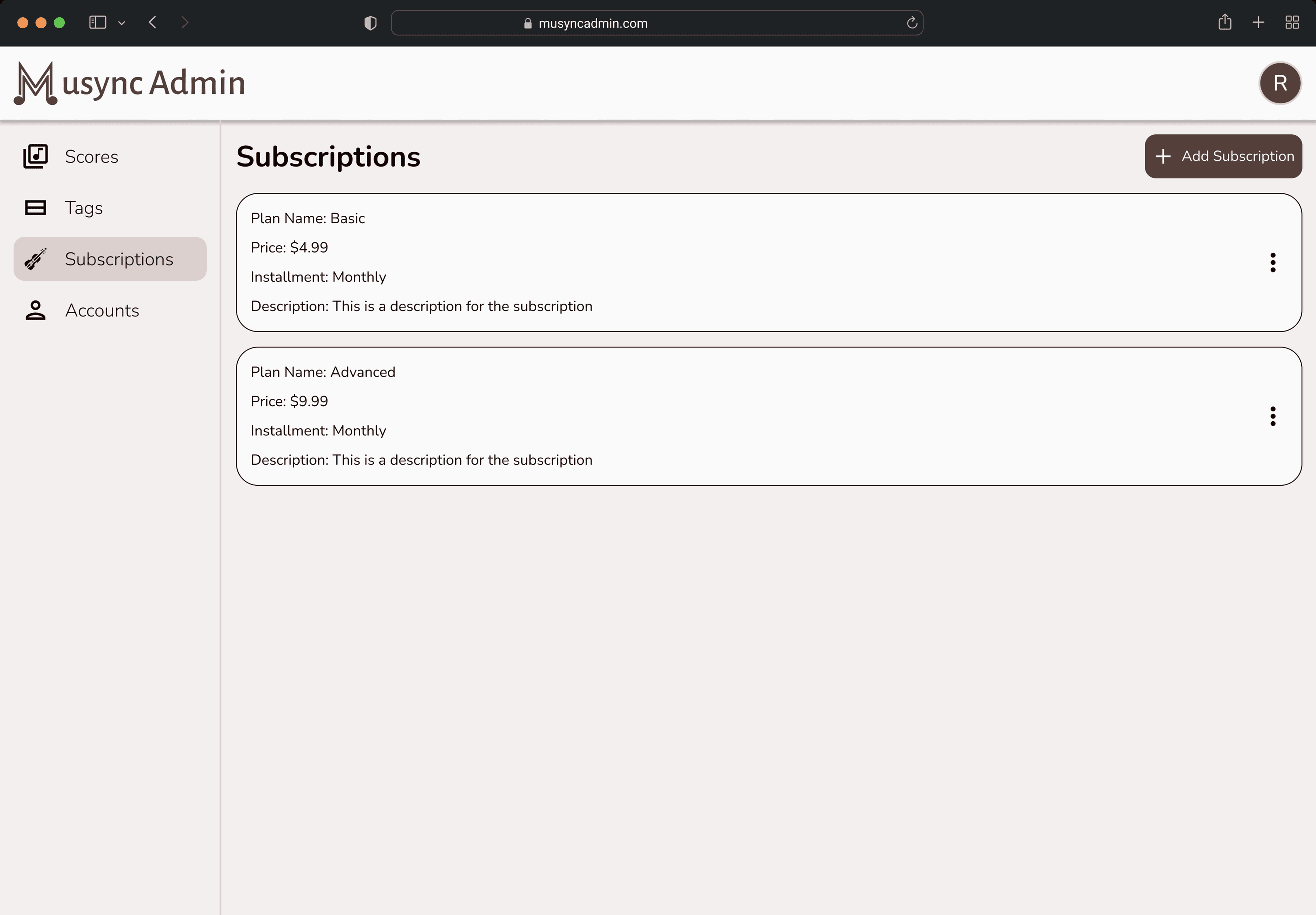
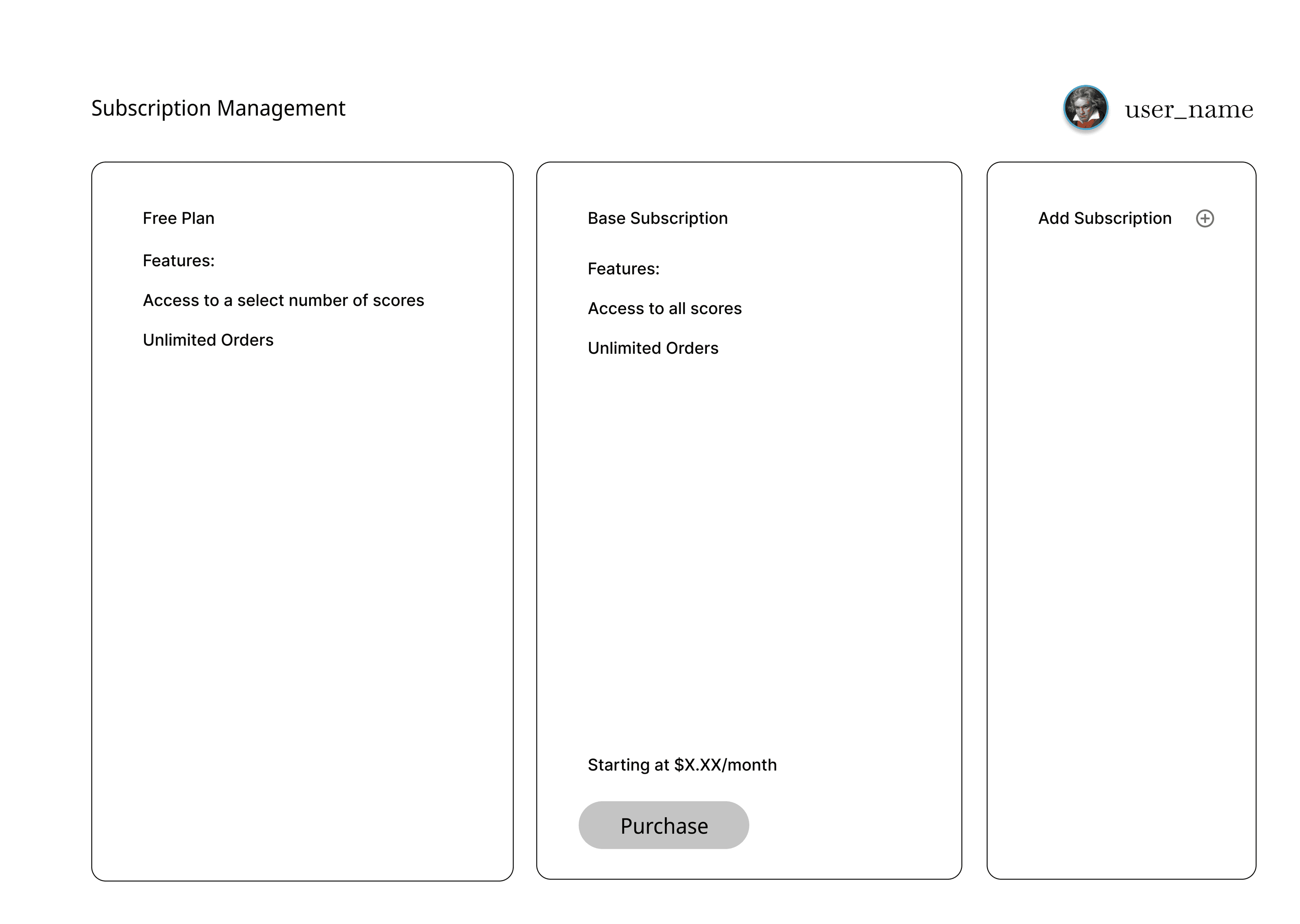
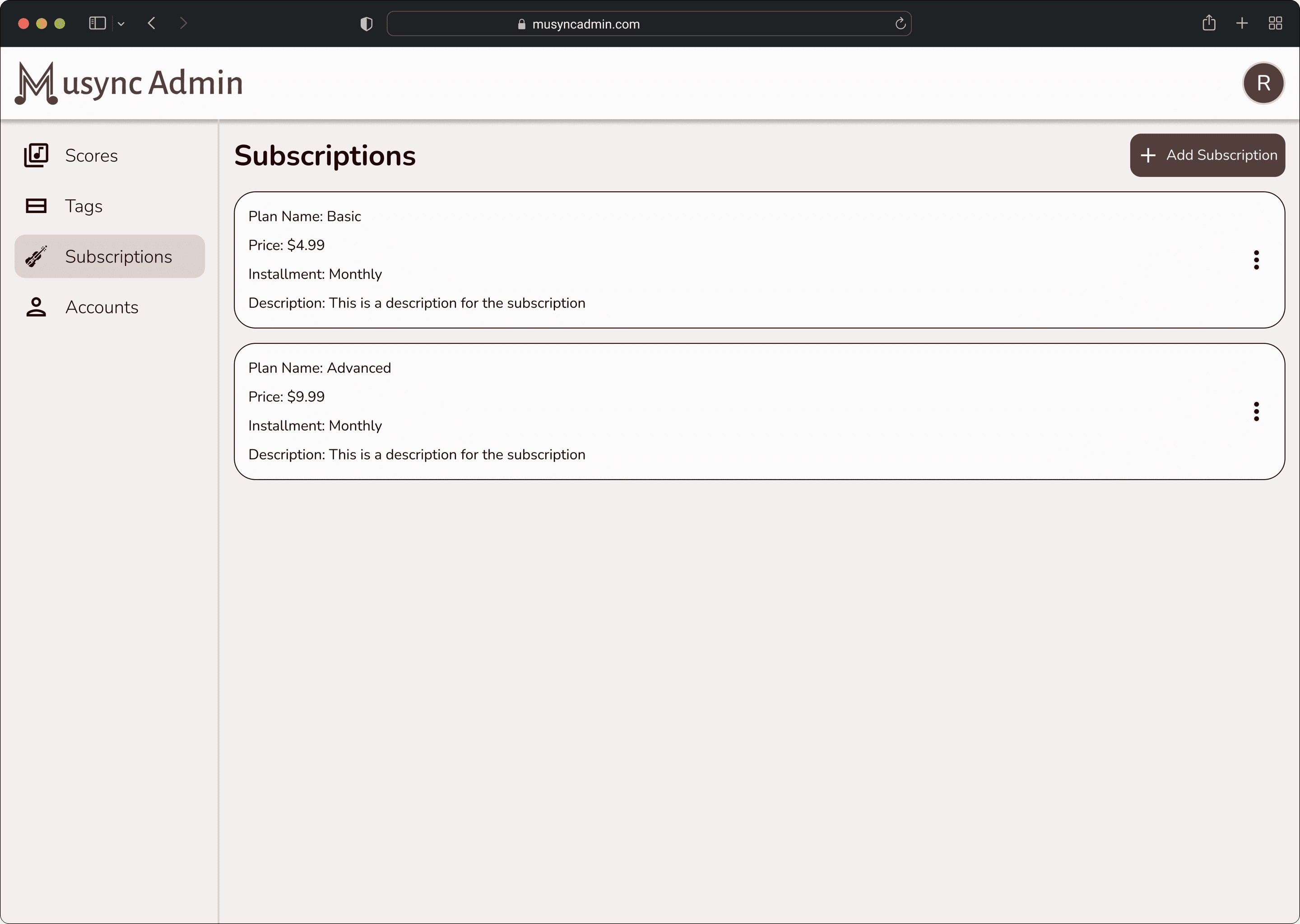
Manage subscriptions and sharing/access rights.
Cross functionality with the Musync Catalog.
Problem statement
“How might we design a desktop experience that enables administrators to input, edit, and tag music scores for efficient access and cross compatibility with the Musync e-commerce store?”
Ideate
Wireframing
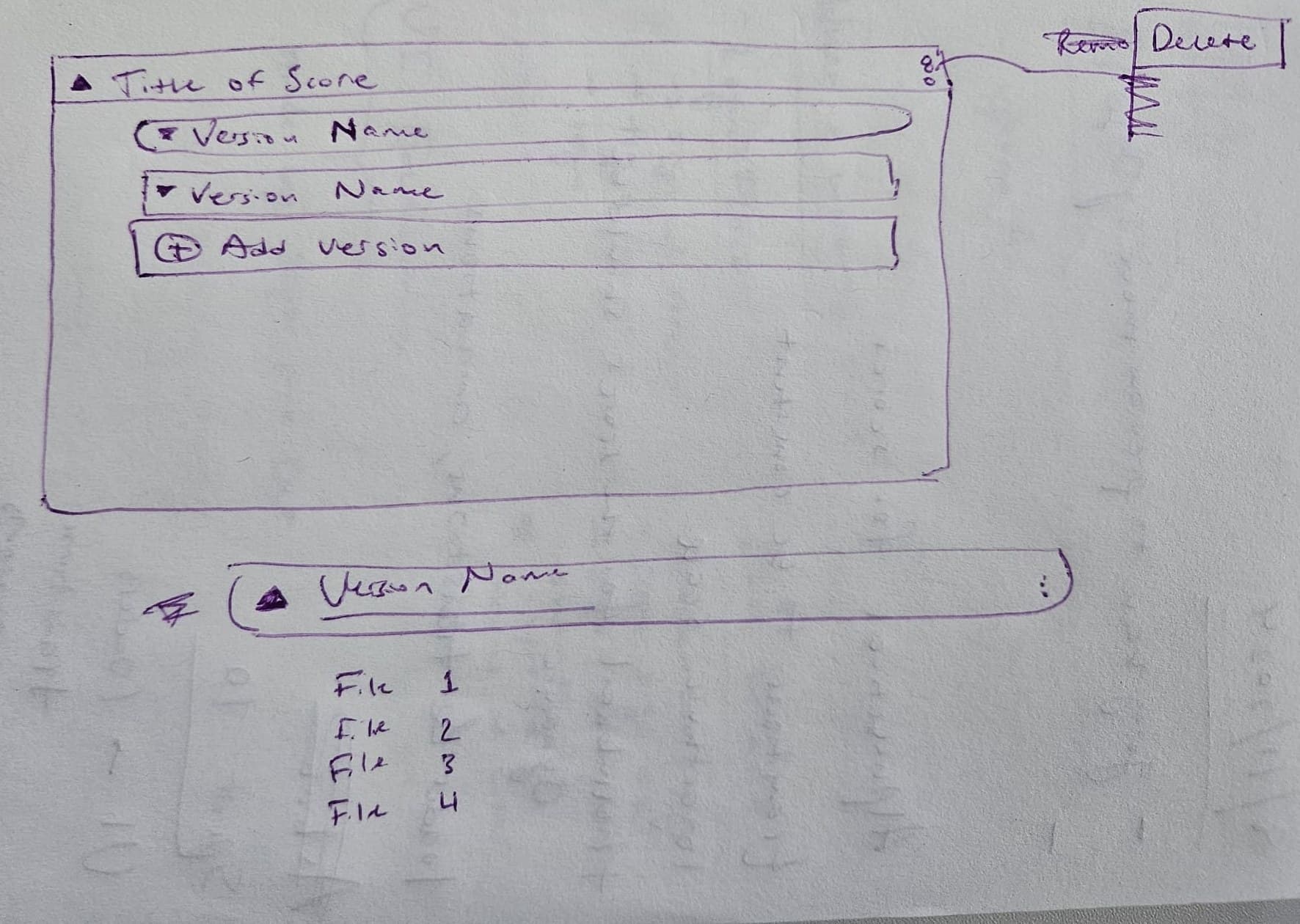
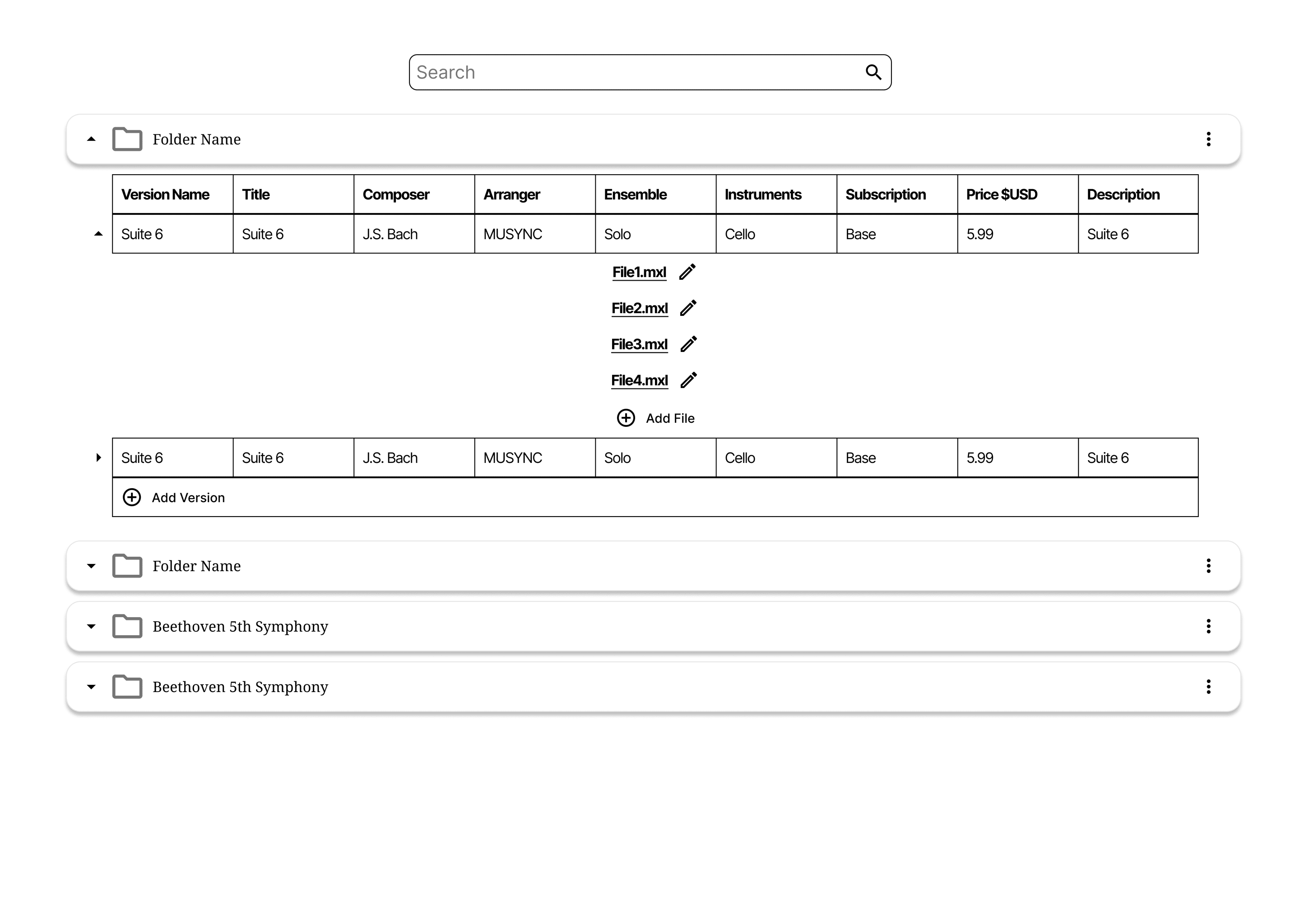
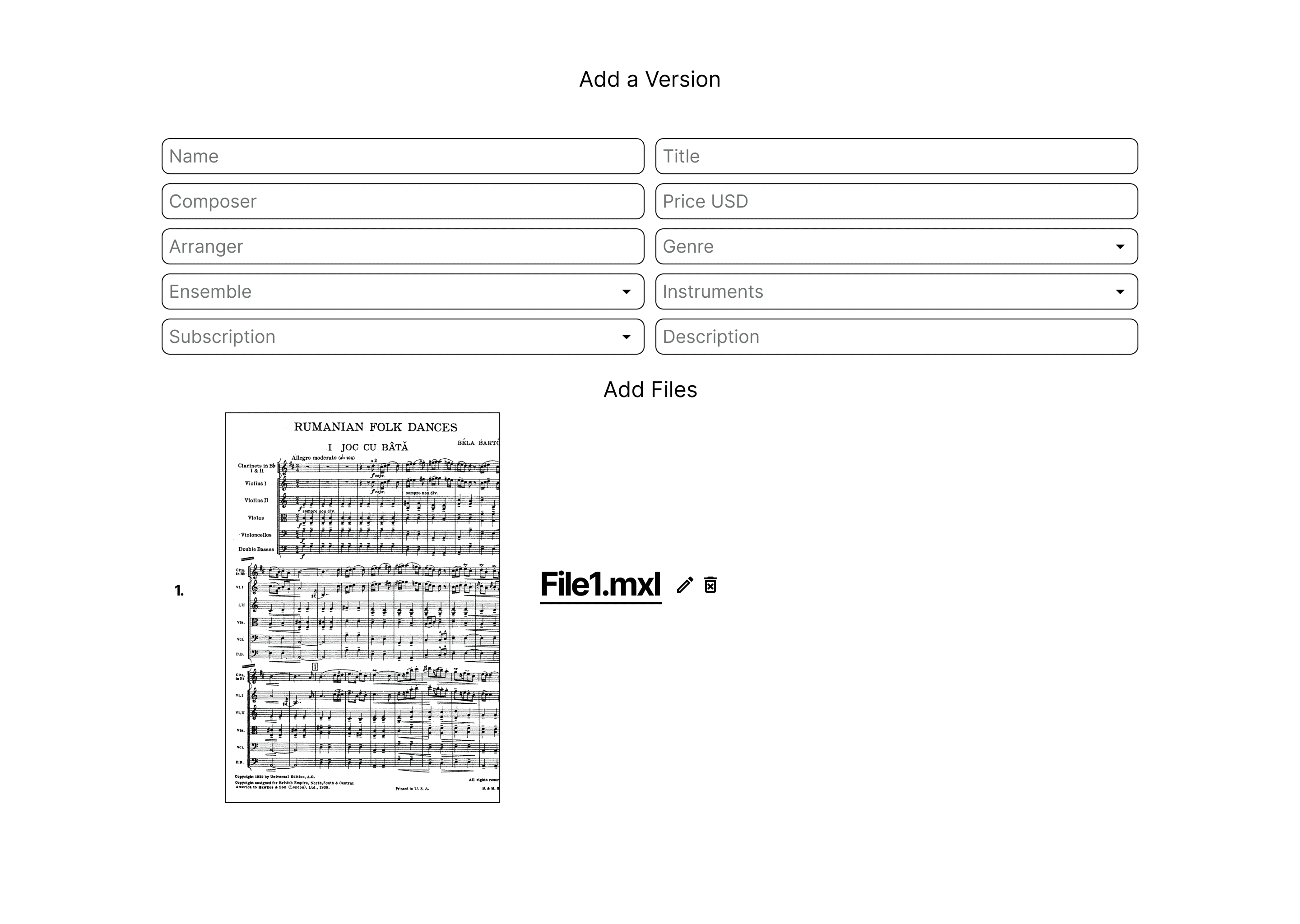
The goal of wireframing for this project was to outline the organizational structure for music scores. Initially, we abstracted this structure quite complexly. We aimed to have multiple versions of a score with each version having a distinct number of files that would correlate to the number of parts in a score. For example, take the score Moonlight Sonata by Beethoven — there are many versions of this score, such as a concert version or a duet version, and each version could have an even further distinction like being the piano part file for the concert version.
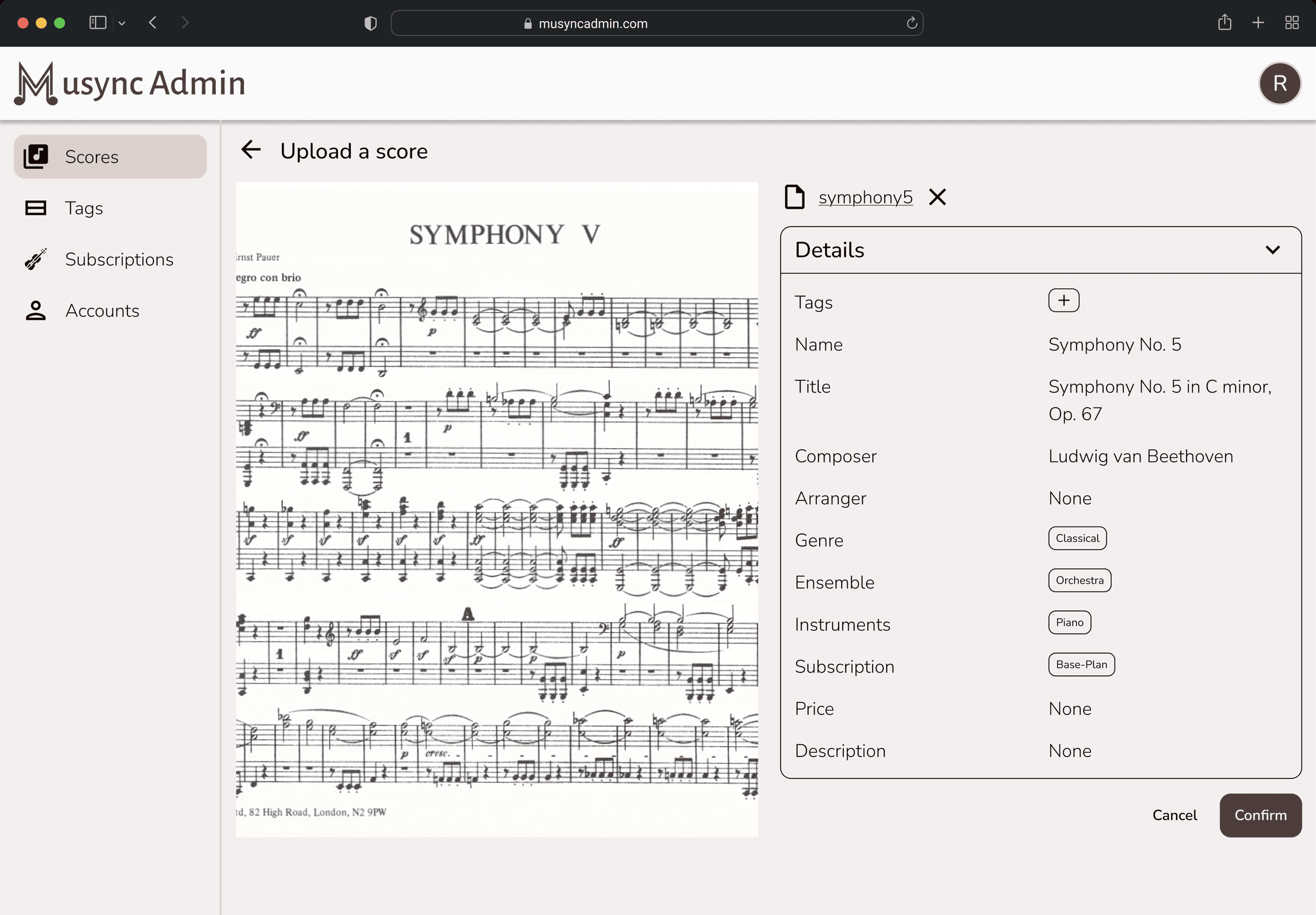
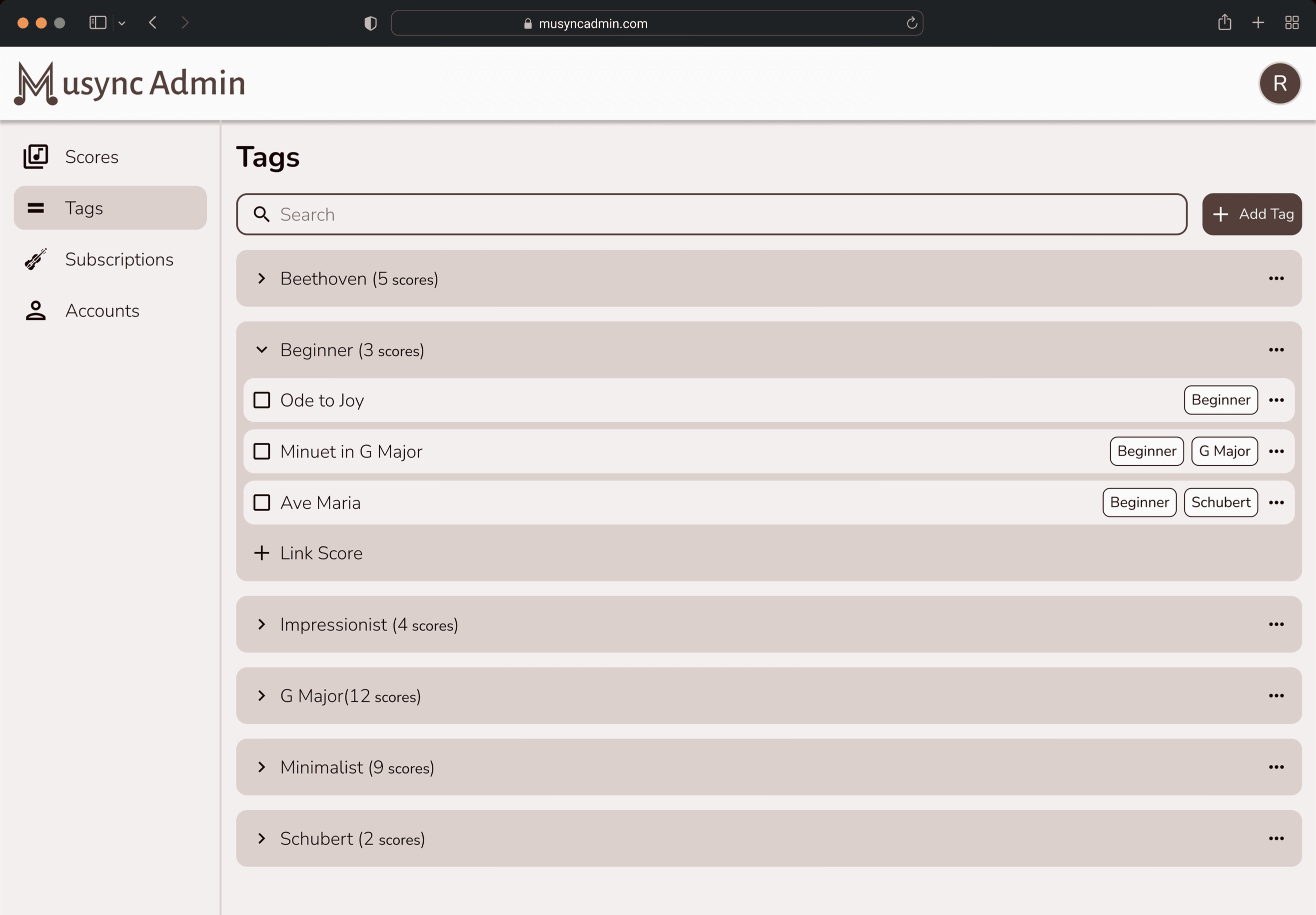
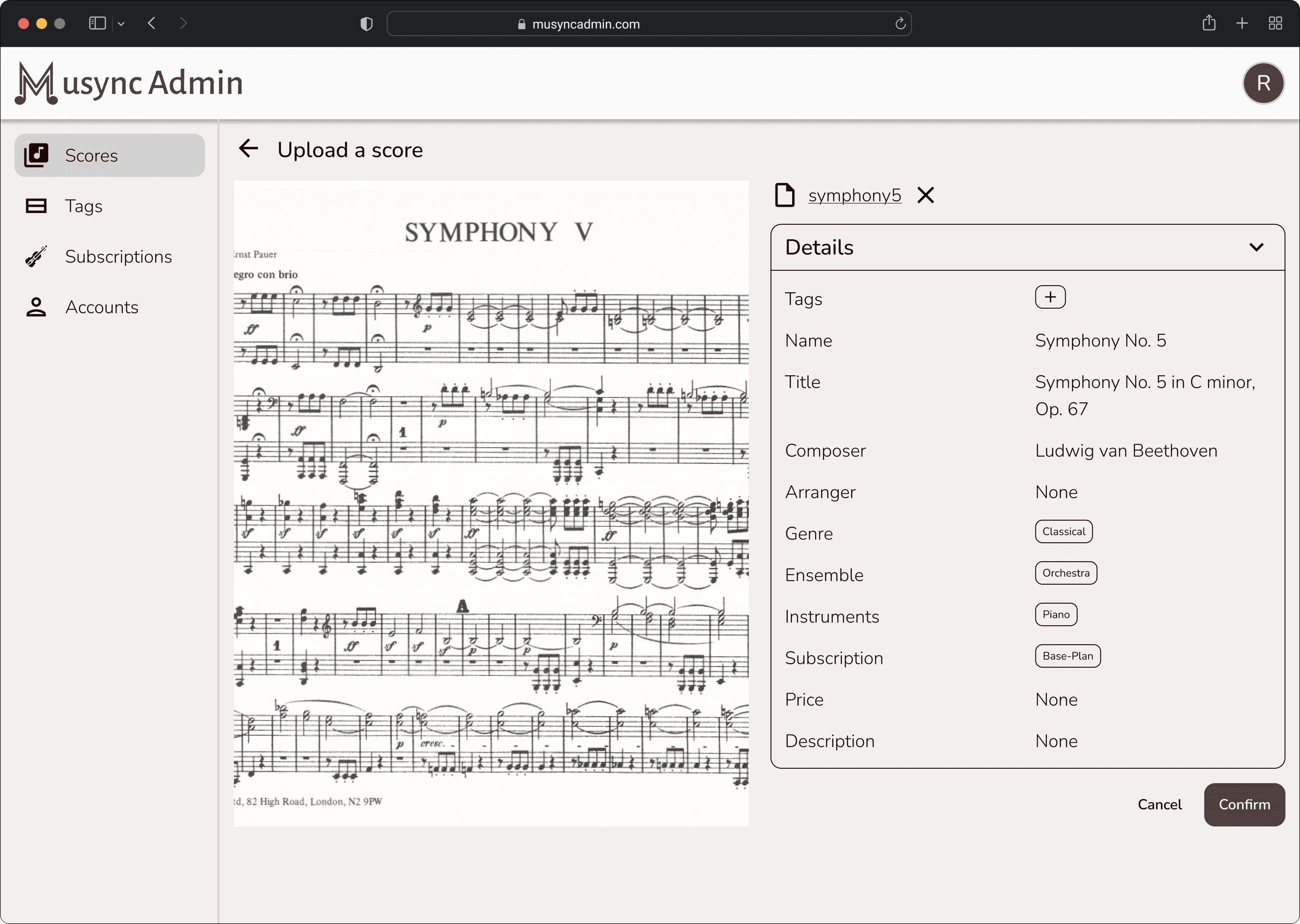
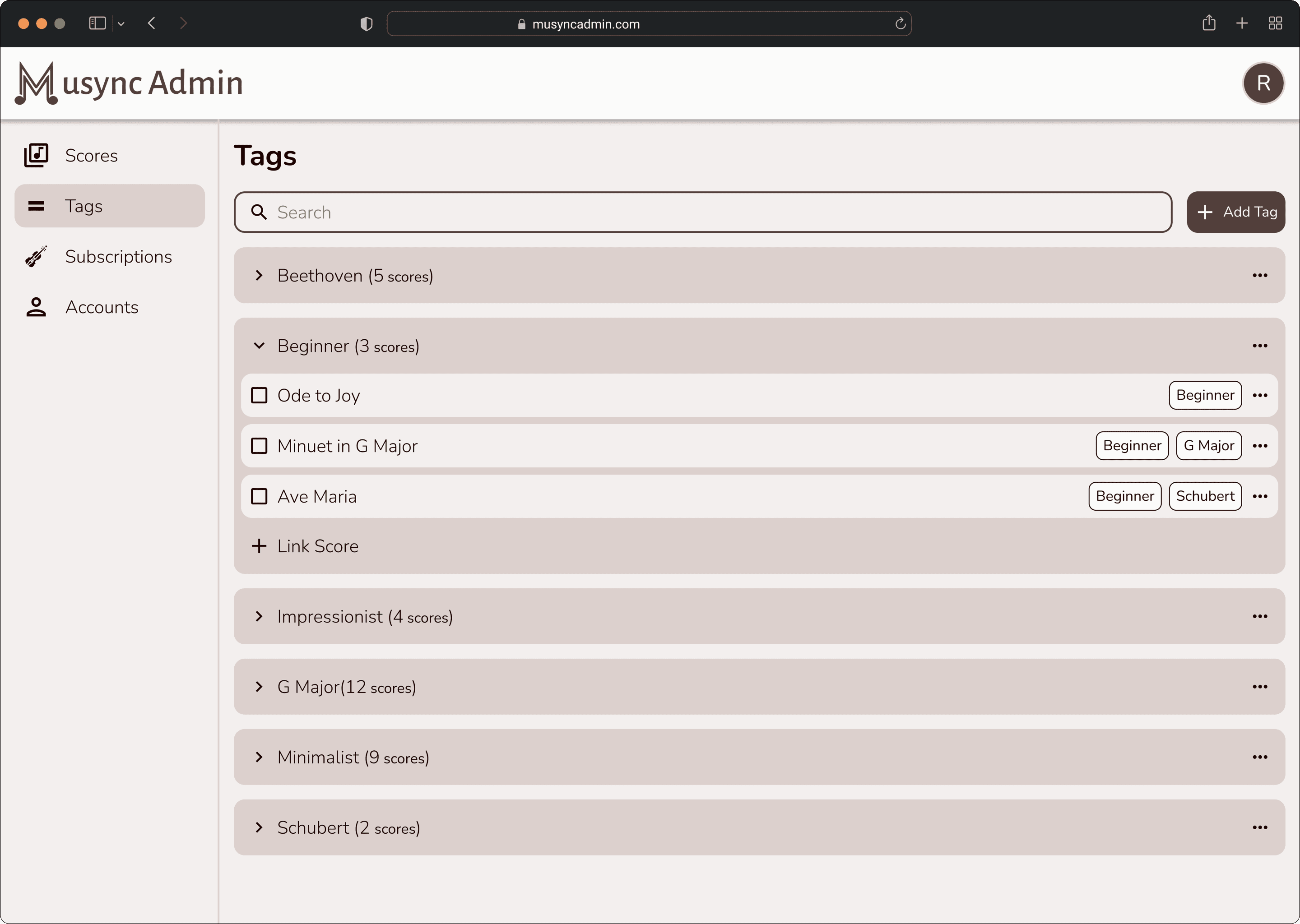
However, we quickly realized that this was too complicated. It would not only be difficult to design and administer but also very time consuming to develop, and there may not be a use case to separate out the part files in such a way. Thus, we decided to abandon the version/file structure entirely. Instead, we made each score a distinct file with important metadata such as title, composer, instruments, etc. as clear to the user as possible, and created a robust tagging mechanism that would allow groupings of scores dependent on the admin’s arbitrary categorizations.
Information architecture
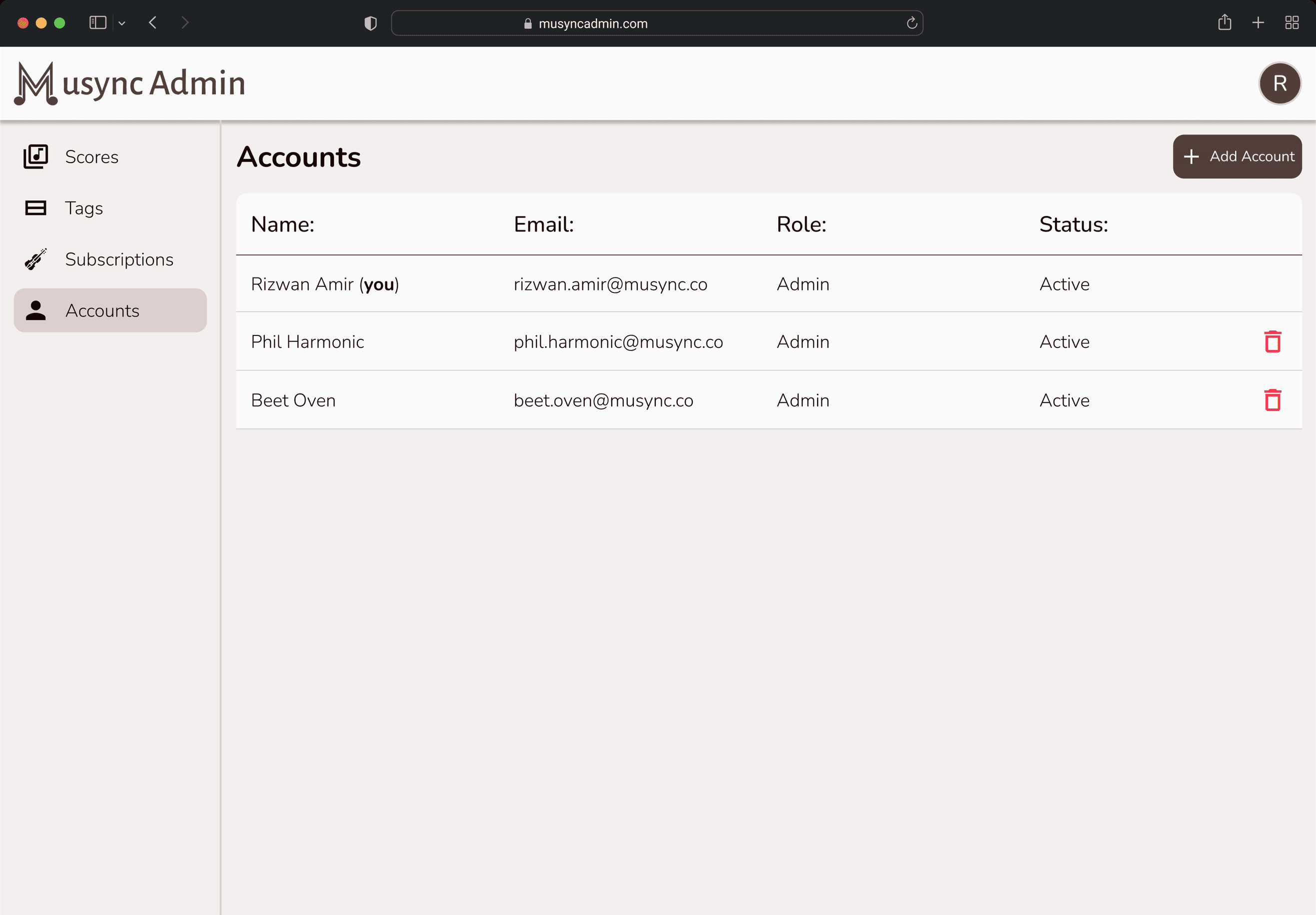
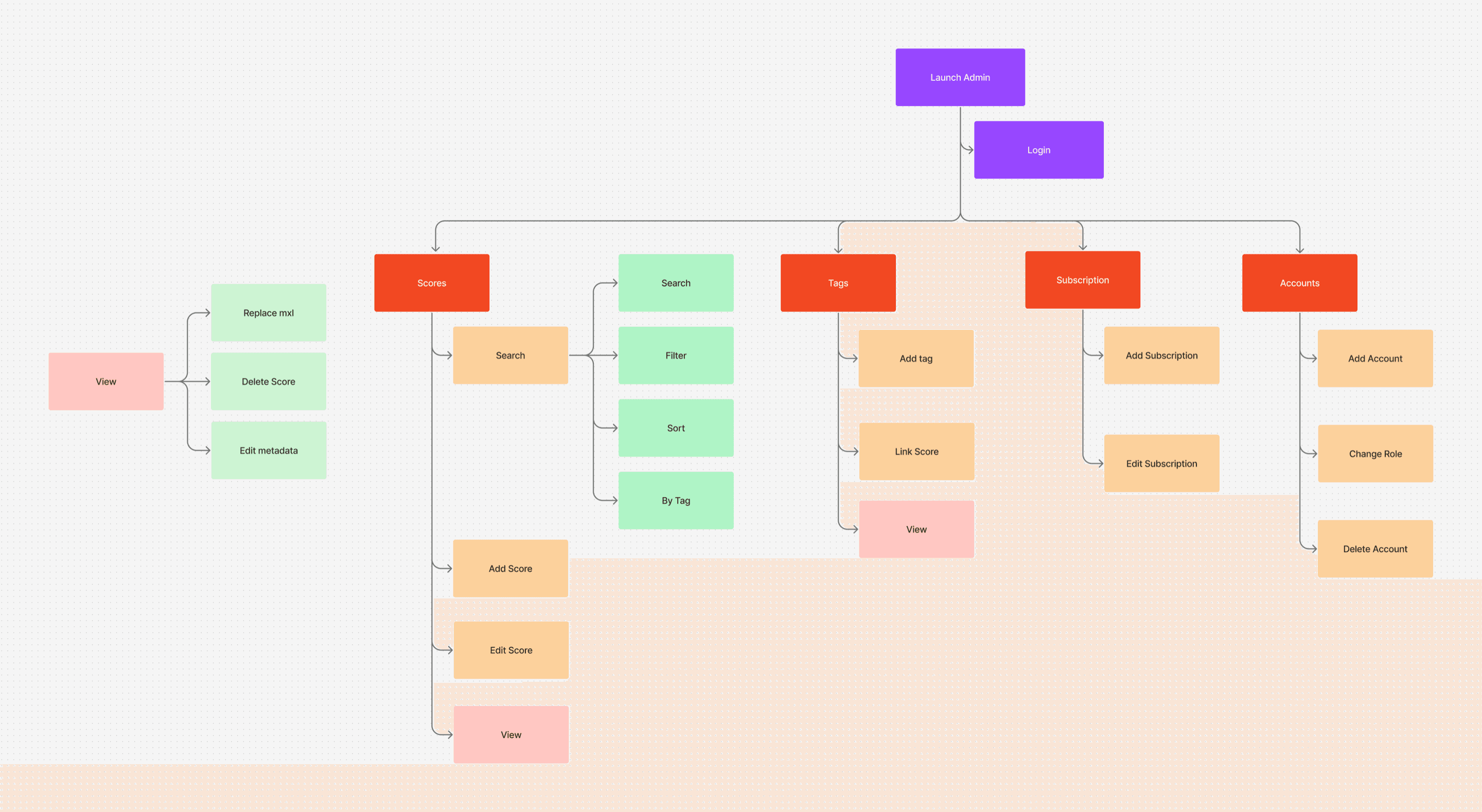
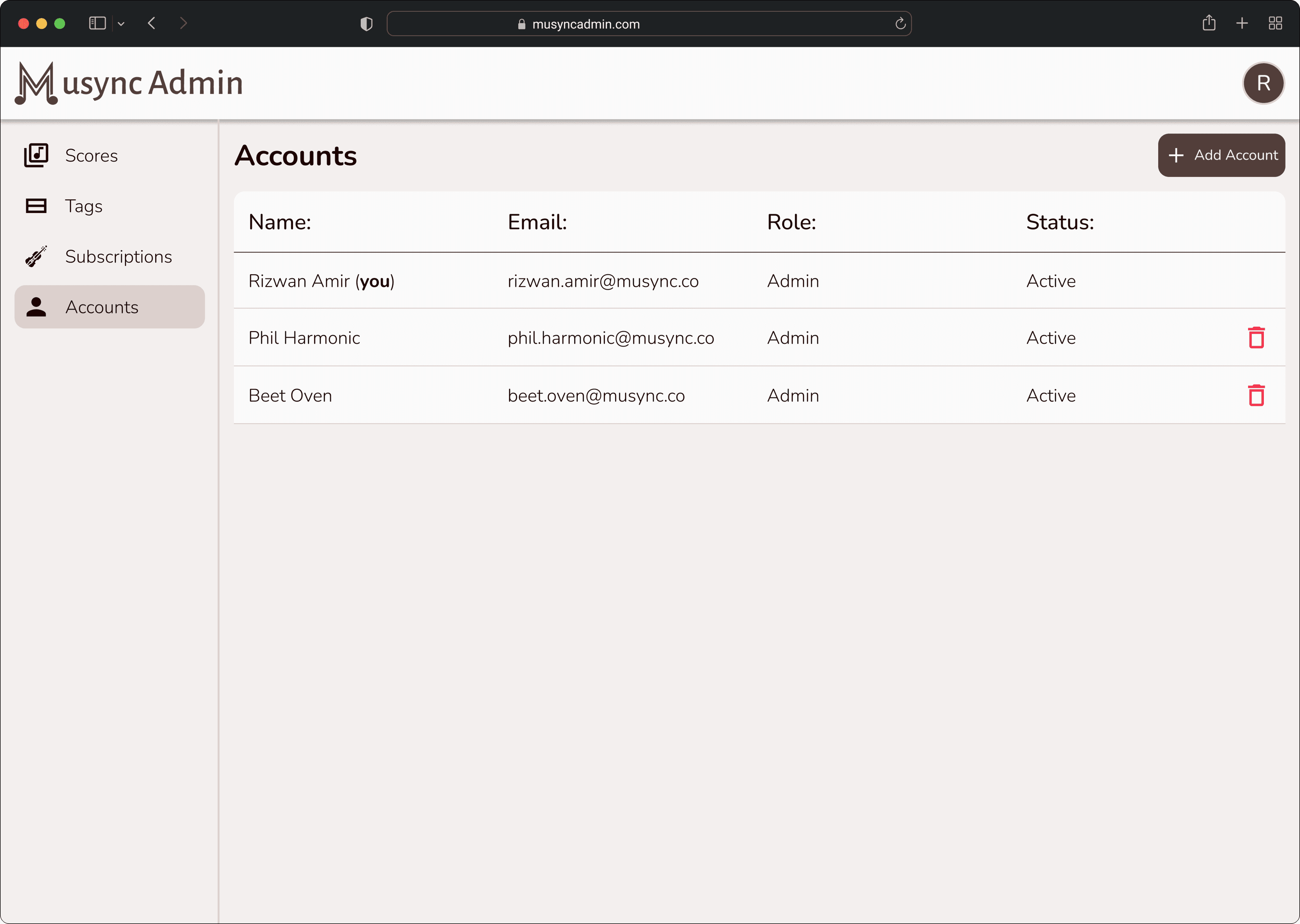
Leading from wireframing, we crafted our model of the major screens. These would be Scores, Tags, Subscription, and Accounts, which would acknowledge the major interactions we wanted admin users to utilize through this site, with the important primary action being viewing the score to make changes.
Design
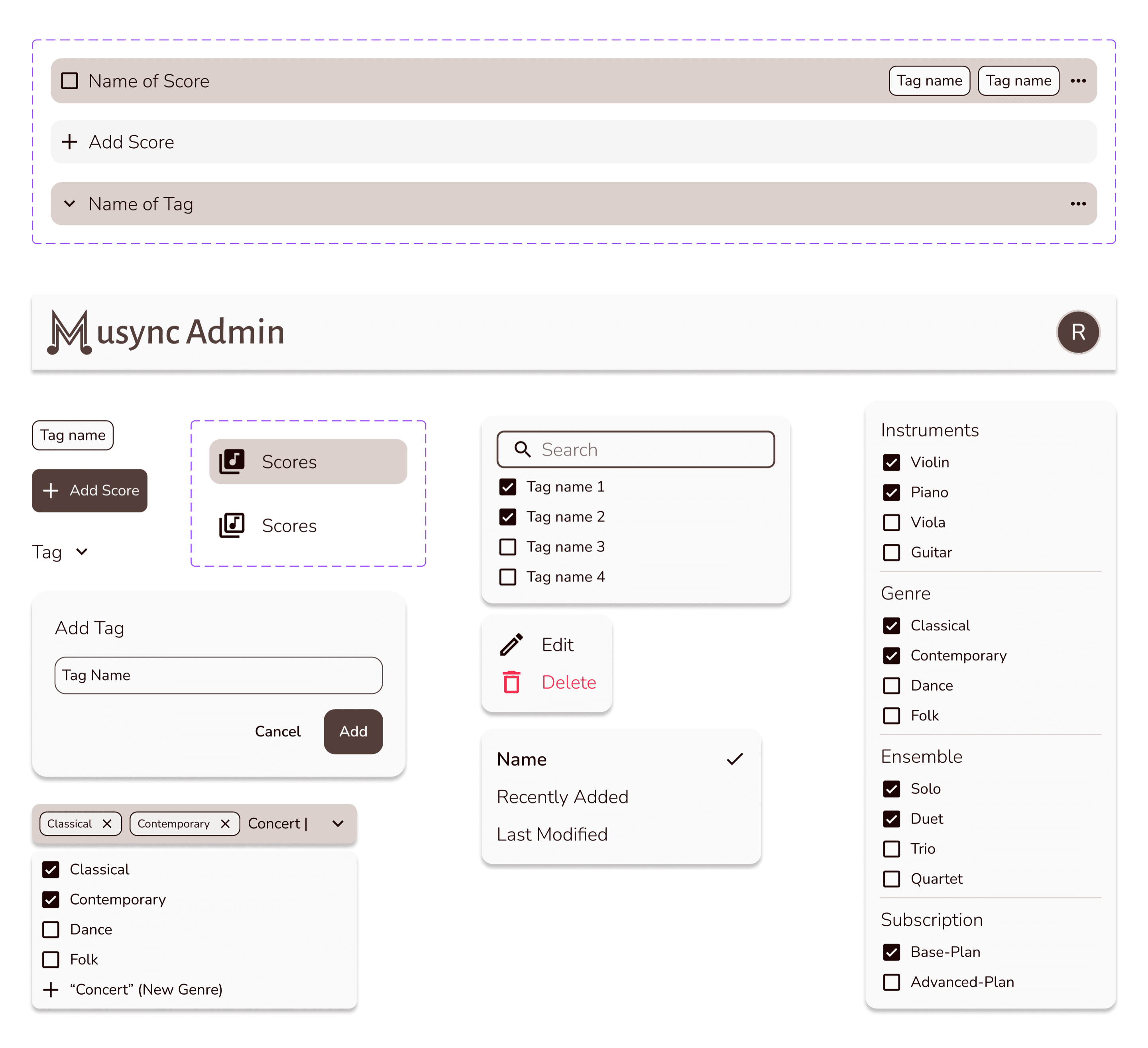
Responsive component library
Typography and color palette
As with the Musync mobile app, we wanted to keep the existing typography and color palette. As a result, we kept Nunito for the font family. This ensured consistency across platforms.
Main
Accents
Final Designs
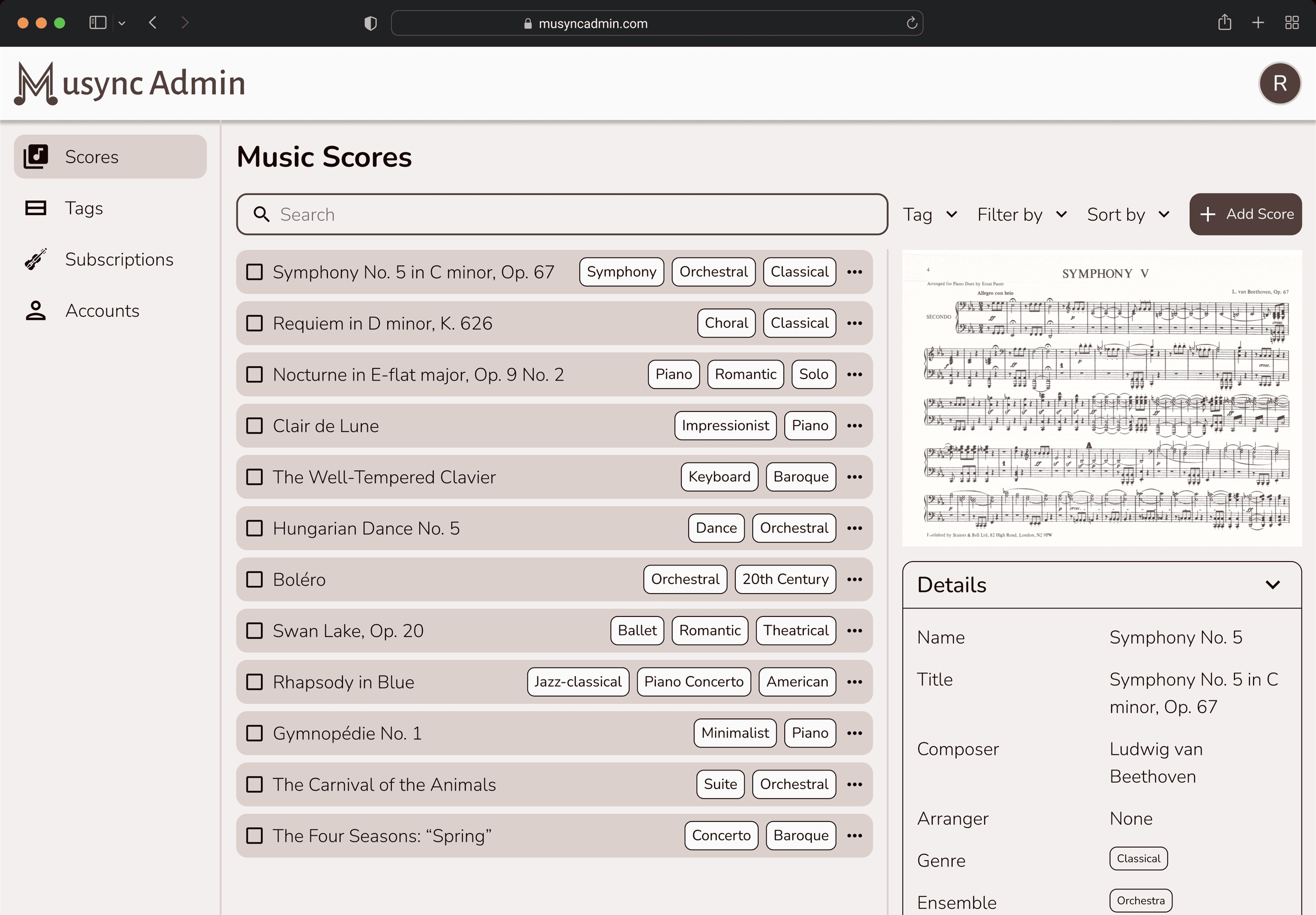
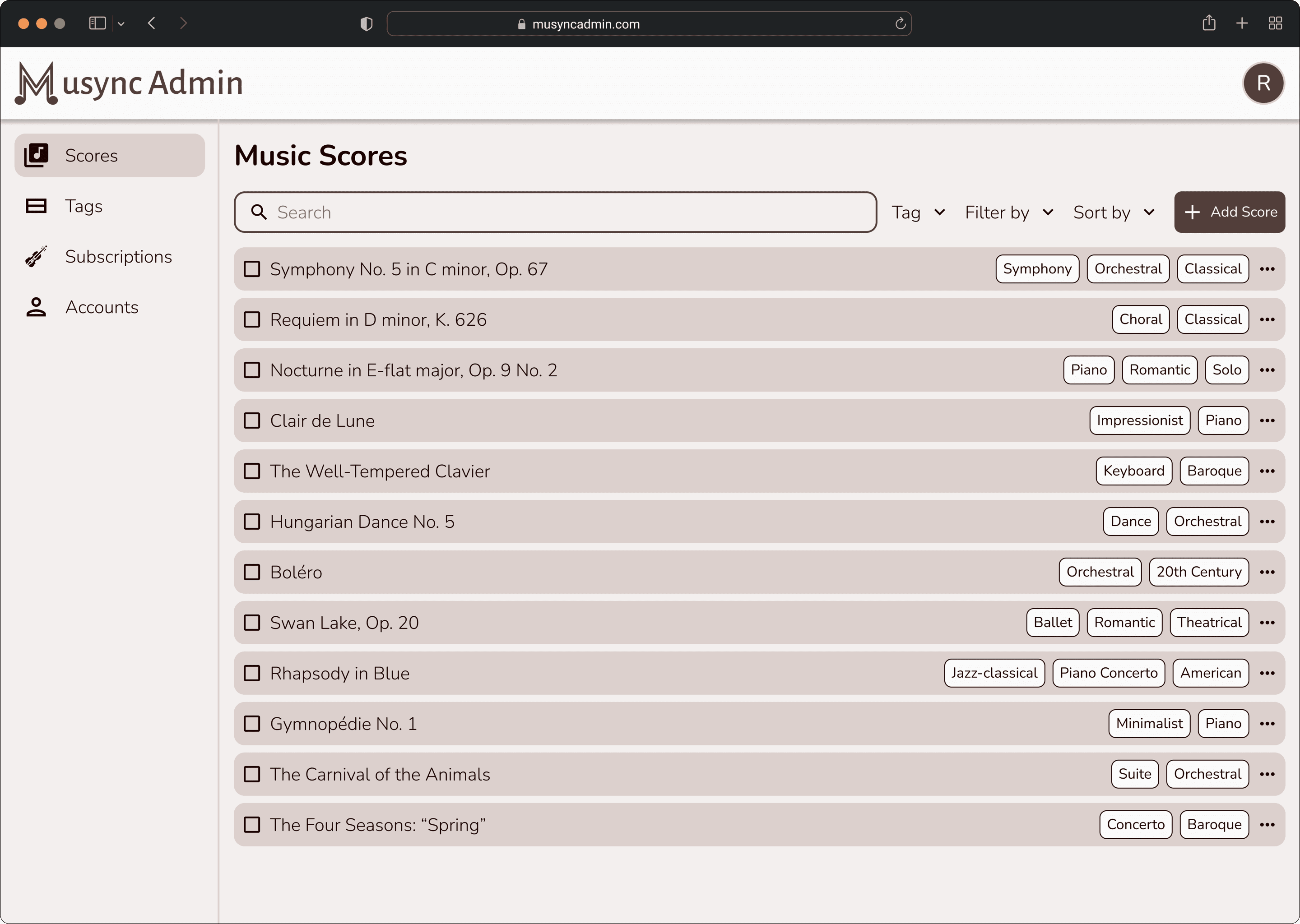
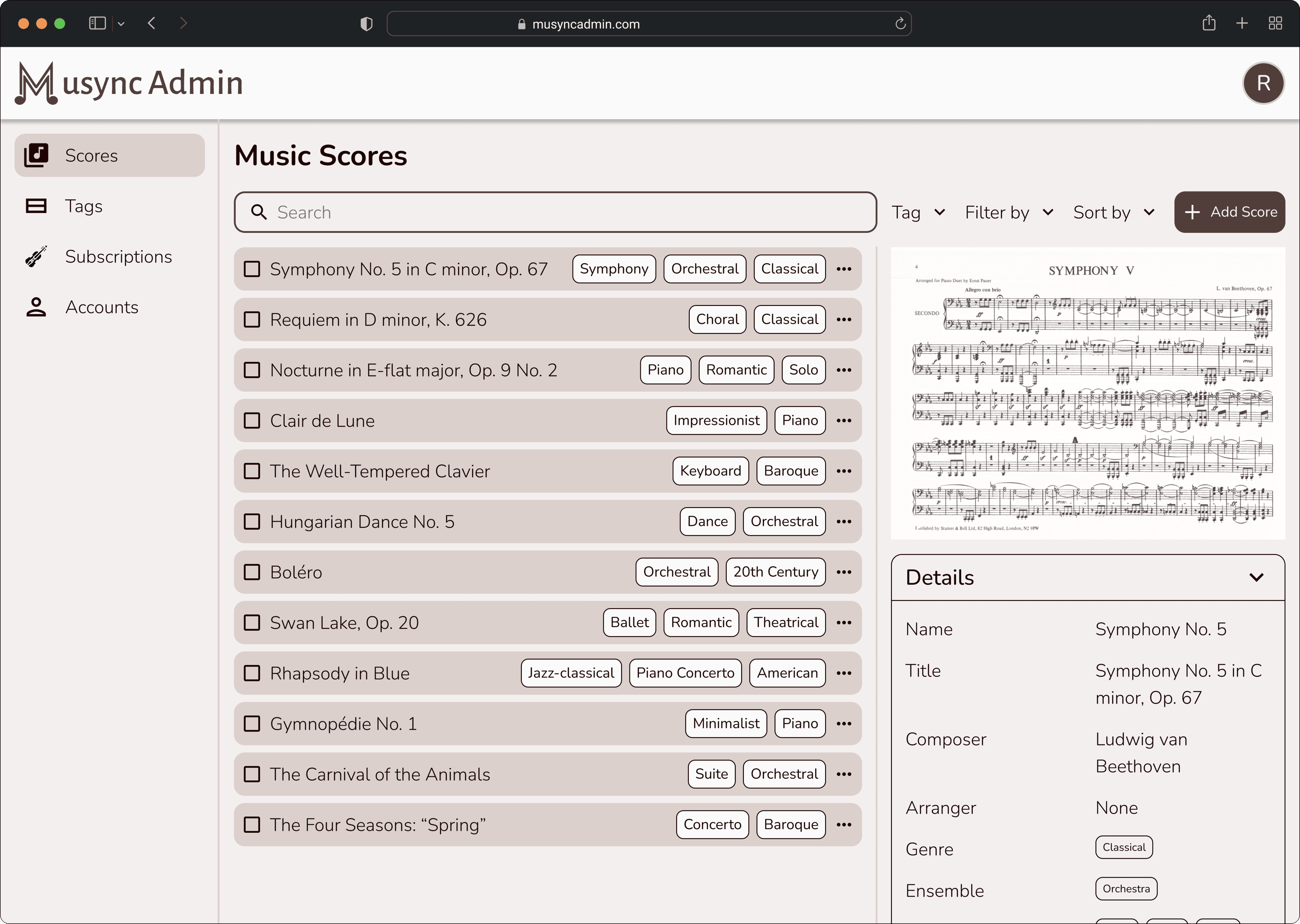
The final showcase demonstrates the clean organization of the scores, the simplified process of uploading and viewing a score, how scores can be categorized through tagging, and intuitive subscription/account access functionalities.
Reflection
This project was organizationally challenging but incredibly rewarding. With the mobile app, although structurally complex, the main challenging components were POCs (proof of concepts) such as the annotation keyboard and music viewer. However, with the admin site, we had to contend with sharing/access rights, music score acquisition and conversion, designing a file management system, and building a cross-platform engine. Thus, there were many moving parts to make this site usable with other Musync platforms.
The case study above offers but a glimpse of all the hours my team and I put in to make this project come to fruition. As in the mobile app, I’m incredibly grateful for Musync, especially to Ismail Husain and Javed Husain, for giving me the opportunity to put on so many different hats and grow as a working professional.
Thank you so much for reading this case study and taking the time to go through my work.